The scanner on the desk, inside the application.
Paper goes into the scanner at the desk, and the pages arrive in the application’s own scan dialog — even though the application runs in a Cameyo session in the cloud. No scanner drivers in the image, no redirection, nothing installed on the session host.
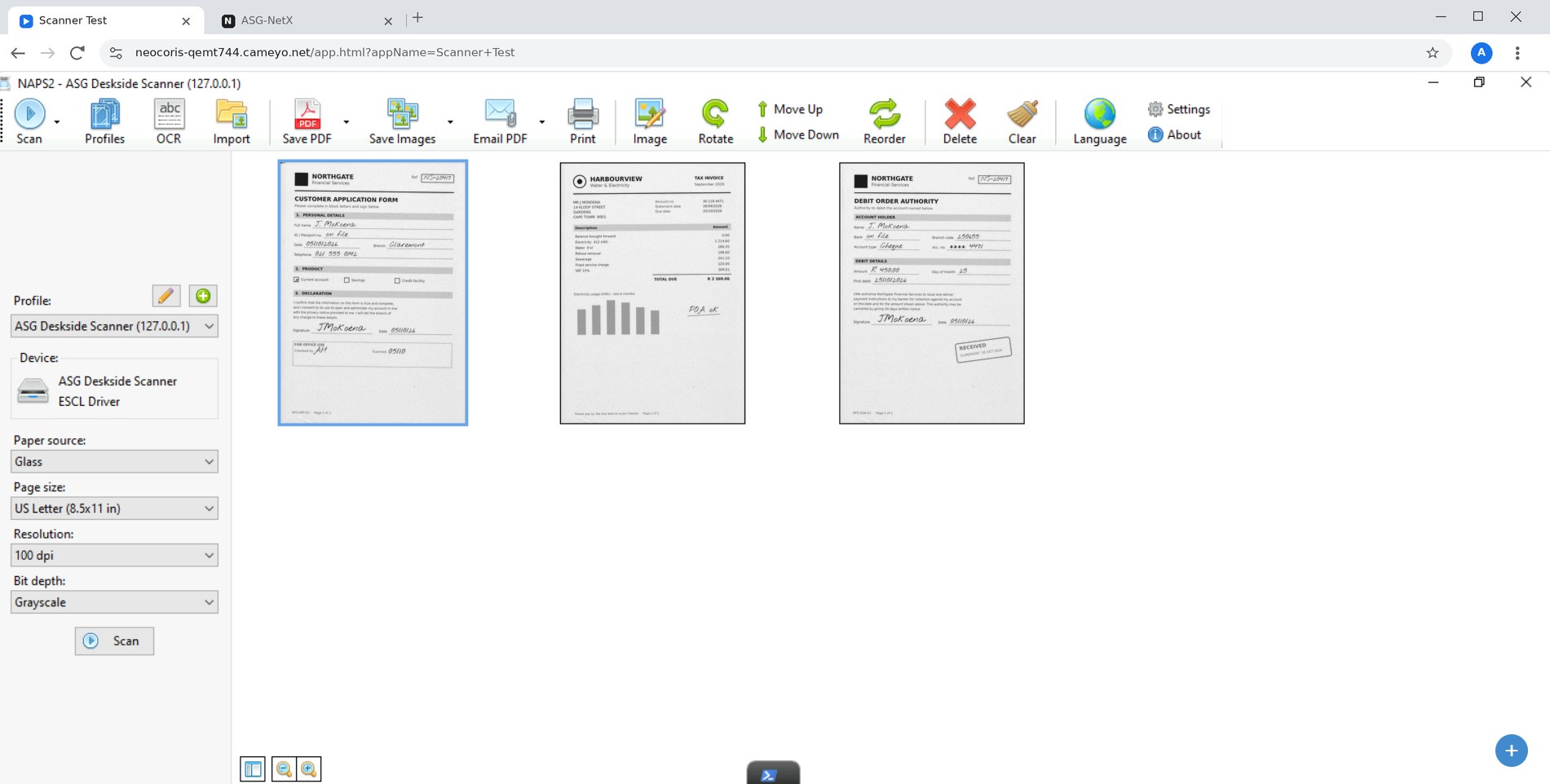
A customer application, proof of address and debit order scanned at the desk, open in the application running in the Cameyo session.
Built for the work your people already do.
Back-office capture
Invoices, statements and supporting documents scanned straight into the line-of-business application.
Onboarding and KYC
Identity documents and proof of address captured at the branch or counter, into the system of record.
Claims and case files
Whole bundles through the document feeder in one go, attached to the right case.
Clinics and front desks
Referral letters, forms and medical aid cards scanned where the patient is standing.
Three steps for the user. Nothing new to learn.
The application in the Cameyo session is unchanged. ASG-Deskside does the work at the desk, and sends only the finished result into the session.
Press Scan in the application
The same button and dialog the application has always used.
The scanner at the desk runs
Glass for a single page, or the whole document feeder.
Pages appear in the application
Finished, compressed pages — ready to save, attach or process.
To move each finished page into the application in the session. The scan itself runs at the scanner’s own speed.
A full-colour A4 page on the wire — mono pages far smaller.
Scanner drivers in the Cameyo image.
Turns scanning on for an application.
Safe by default.
- Off until switched on. No scanner is opened and no permission is asked unless scanning is enabled for that application.
- Sessions cannot reach each other. The scanner listener checks which session a request comes from and refuses anything from another one.
- Only finished pages travel. Raw scanner traffic never leaves the desk, so there is no device protocol on the wire to intercept or replay.
- Nothing on the server. No driver, no agent, no service on the session host — no new attack surface to harden.
- Enabled per application. Off by default everywhere else, and it fails closed.
Windows and Chromebook.
| Desk | Status | How the device is reached |
|---|---|---|
| Windows desk | Working | The desk’s own WIA scanner, through the small ASG-Deskside scan helper |
| Chromebook | Working | Chrome’s built-in document scanning — nothing extra to install |
Turning it on takes two steps.
Force-install the ASG-Deskside extension through Chrome or Edge policy. Windows desks also get the small native scan helper. Then tag the application:
Configuration settings
Set on the Cameyo application (or server, group or account), one per line. Every ASG-Deskside application also carries the extension ID and channel tags; we set these up with you.
| Setting | Default | What it does |
|---|---|---|
!ASG_SCAN_PIPE | 1 | Turns scanning on for the application. Without it, scanning is refused. |
!ASG_SCAN_DPI | 200 | Scan resolution. |
!ASG_SCAN_COLOUR | Colour | Colour, Grey or Mono. Mono is by far the smallest. |
!ASG_SCAN_SOURCE | glass | glass for one page, feeder (or adf) for the whole feeder. |
!ASG_SCAN_DEVICE | first found | Part of a scanner name, when a desk has more than one. |
Which documents, and which application do they need to land in?
Tell us, and we will show you document scanning working in your own Cameyo session.
Talk to usAlso in ASG-Deskside